
10 Cable Management Ideas for a Clean Home Office Desk Setup

Messy wires can ruin an otherwise beautiful workspace. A cluttered desk distracts your mind and reduces your daily productivity.
Thankfully, organizing your cords transforms your environment completely. You can easily achieve a minimalist look with the right tools.
Simple adjustments keep your charging cables and power strips out of sight.
This guide explores practical ways to clear the chaos underneath your workstation.
You will learn how to create a sleek, distraction-free area that inspires deep focus.
10 Cable Management Ideas for a Clean Home Office Desk Setup
Wooden Desk Shelf

A raised monitor stand provides an excellent way to hide messy device cords.
The elevated wooden shelf creates a dedicated channel underneath to route wires smoothly across the surface.
This setup keeps your primary computer power lines completely out of your direct line of sight.
Your smartphone charging cable also threads neatly behind this riser. It routes directly down the back leg of the standing desk structure.
Using a shelf maintains a clean aesthetic while keeping daily tech essentials within arm’s reach.
Vertical Slat Wall Panel

A wooden slat panel attached to the wall offers a clever way to mask trailing cables.
The vertical lines create natural channels right behind your main monitor setup.
You can easily feed power cords down through these grooves to keep them out of sight.
This solution completely hides the wires connecting your screen light bar and microphone.
The desktop remains free from tangled loops. It blends acoustic styling with practical cable concealment.
Clamp On Under Desk Mesh Basket
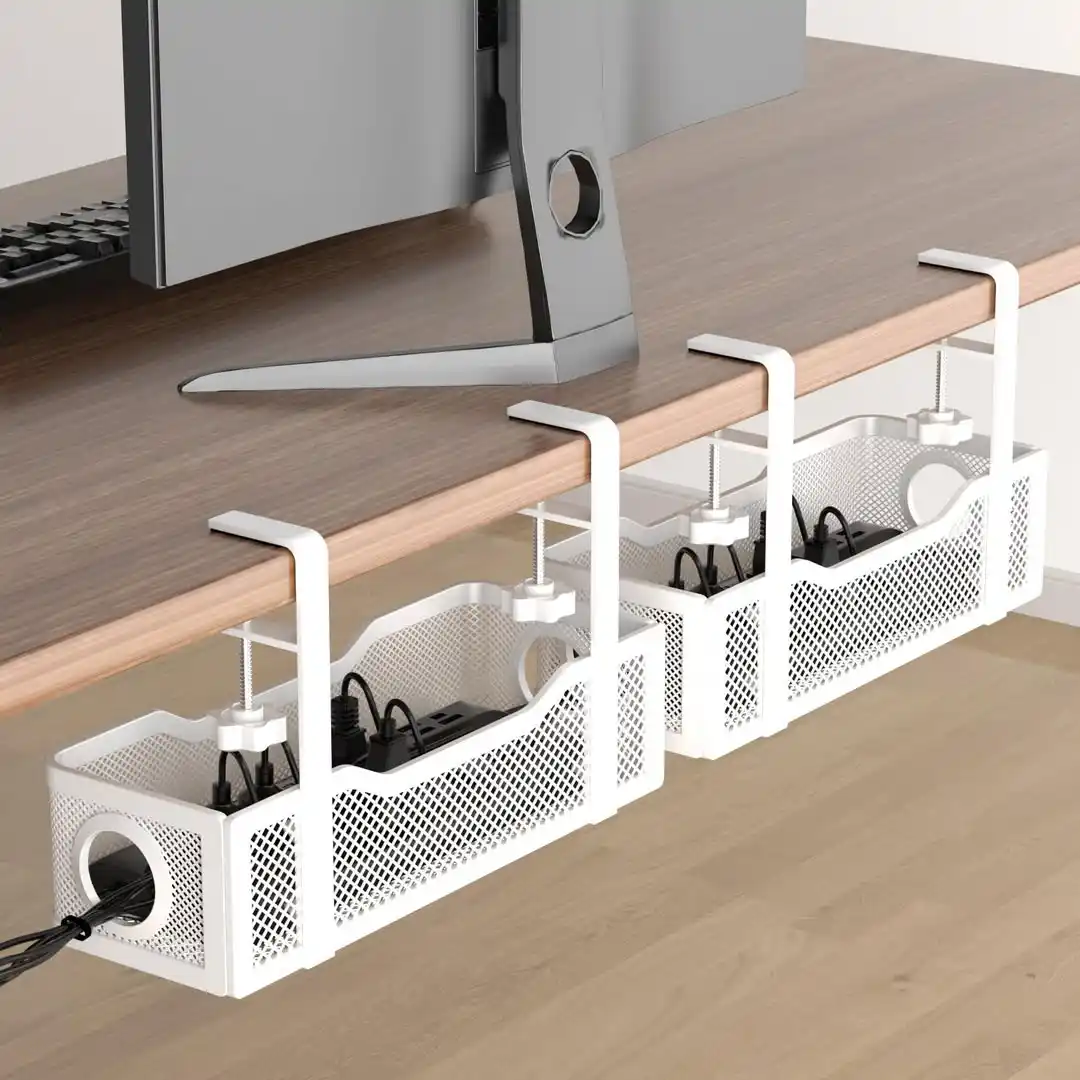
An under desk mesh basket secures directly to the edge of your workstation using adjustable screw clamps.
This design removes the need for drilling permanent holes into your furniture. Heavy power strips sit safely inside the sturdy metal wire structure.
Circular side openings let you route thick power plugs and monitor cables out with ease.
The mesh pattern provides excellent ventilation to keep your electronic bricks cool. This organizer keeps heavy bundles off your floor completely.
Behind Stand Cable Routing

Positioning peripheral cords directly behind your main display stand eliminates visible surface mess.
A thick black headphone cable drops neatly behind the monitor frame into the hidden shelf recess.
This strategy utilizes the natural structure of your hardware to block the view of connection wires.
The laptop dock sits closely next to the wooden riser to minimize the exposed distance for linking lines.
Power connections feed backward into the lower desk cavity.
This placement strategy leaves your main wooden desktop surface spacious and unencumbered.
Under Corner Table Wall Grommet

Placing your desk near a built-in wall alcove allows you to drop wires straight down the back edge.
A black desk lamp power line snakes closely along the wooden perimeter into the lower wall outlet.
This setup relies on strategic furniture placement to prevent hanging loops from cluttering your legroom.
The monitor connection points also face the white plaster wall directly.
This configuration blocks the view of necessary connectivity wires from the main doorway perspective.
It keeps the open room aesthetic completely free of electronic clutter.
Back of Desk Cable Management Bar
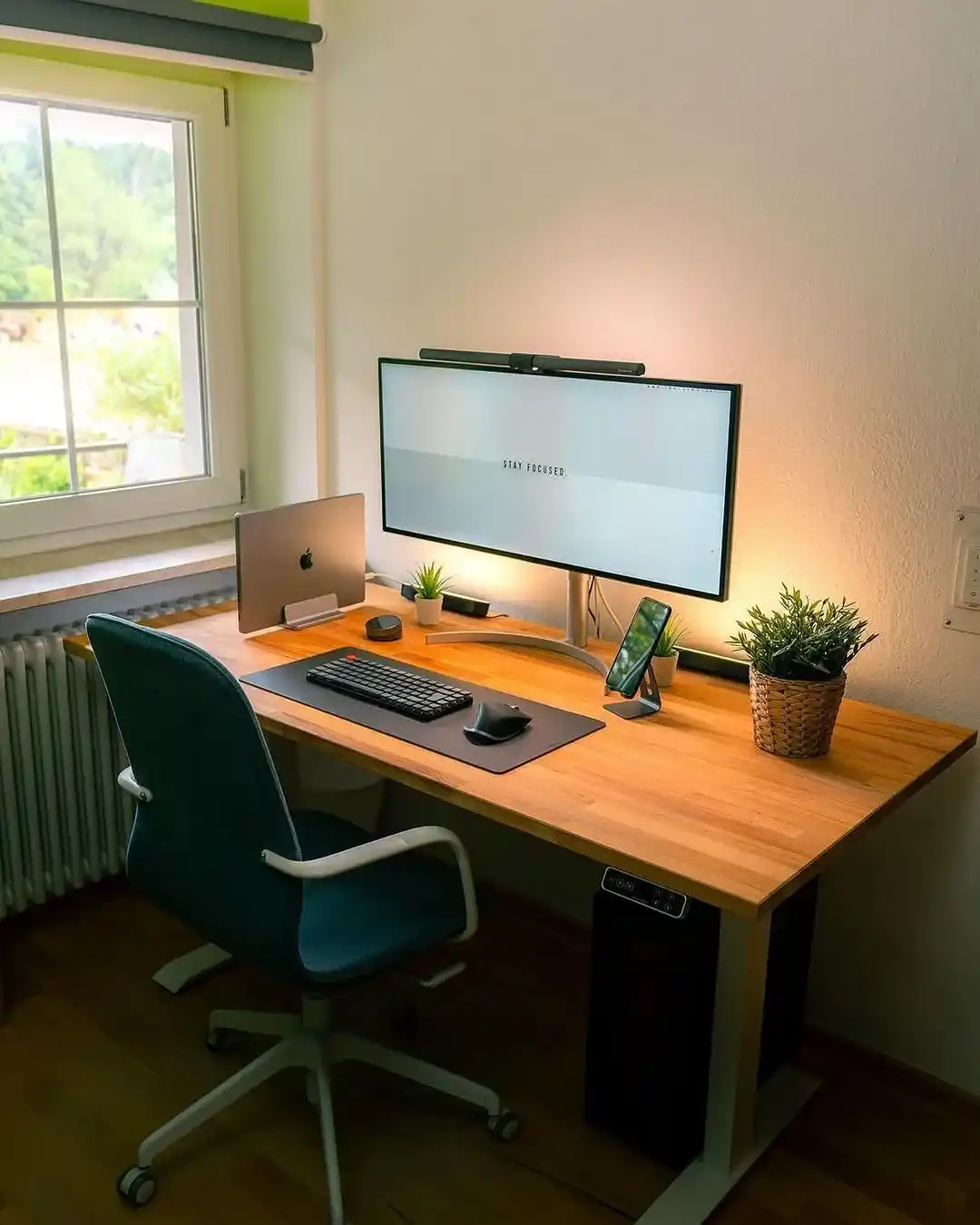
A horizontal power strip shield sits quietly at the far rear edge of the wooden workspace.
This long black bar encloses multiple connector plugs safely in one spot.
It prevents individual accessory wires from scattering across your central tracking mat area.
Your ultrawide display stand arches gracefully right in front of this organizer block.
The screen backlighting units also plug directly downward into this concealed zone.
This clever placement keeps your main task lighting cords flat and well-contained.
Desk Hole Grommet and Cord Routing

A sleek white desk keeps wires hidden beneath the surface. This specific setup routes necessary computer cables directly behind the monitor stand.
You get a clean visual area that prevents distraction. Hidden pathways guide the power leads straight to the floor outlets securely.
Wireless accessories like the keyboard keep the tabletop completely free of clutter.
You gain more physical workspace by eliminating charging cords entirely. This strategy creates an organized environment that boosts your daily focus.
Your desk stays spacious for notebooks and essential office supplies.
Integrated Desk Drawer Storage and Back Channeling

A modern wooden desk utilizes a thick top frame to conceal electronic connections completely.
The main computer power cord drops invisibly behind the silver monitor stand.
This method ensures that no hanging wires disrupt the clean lines of the wooden furniture.
Desk lamps and speakers plug into hidden sockets located underneath the main tabletop.
Wireless peripherals like the black mouse eliminate standard desk tangles.
Your workspace remains entirely tidy while maintaining full functionality for daily business tasks.
Monitor Stand Riser and Centralized Spine Organizers
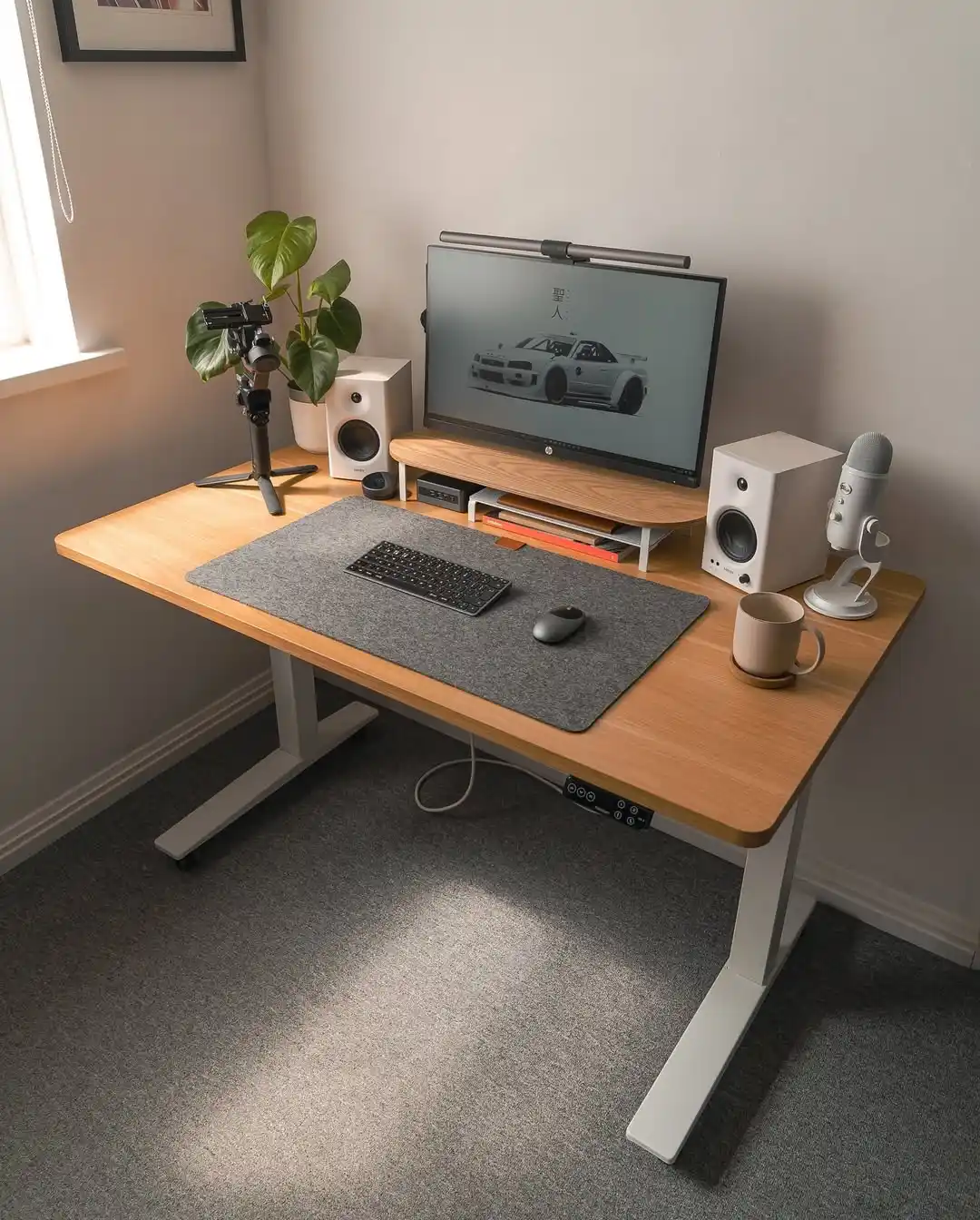
An elevated wooden monitor shelf provides a clever storage cavity underneath its surface.
Audio speakers, microphones, and camera equipment connect through hidden slots right behind the display stand.
A central tech hub sits tucked away neatly to keep peripheral connection lines organized.
Effective cable management relies on a single coiled power snake that handles multiple accessory lines below the motorized standing desk frame.
This clever cord hiding method allows the bundle to stretch smoothly when adjusting your working height position throughout the morning.
Small adhesive anchors keep everything secured tightly against the white support beams out of view.
Back Desk Edge Cord Dropping

A light wood standing desk keeps the entire surface free of visible power cables.
The main desktop display connects to its power source through a single pathway directly behind the aluminum base.
This alignment completely obscures the connection lines when looking at the workspace from the front.
Wireless office peripherals like the silver keyboard remove the necessity for charging lines on the tabletop.
A soft plush rug beneath the desk hides any trailing wires running along the floor boards.
Proper placement of decorative items nearby ensures your workspace feels calm and highly organized.